Feature
Last updated
Restyle a room from a photo, keeping the layout
AI Room Styler restyles a furnished room from one photo and keeps your walls, windows and doors where they are. When the studio asks “How far should it go?”, you choose one of three levels: “Just restyle” puts each new piece where the old one stood, “Restyle and rearrange” also moves the furniture, and “Redesign from scratch” keeps the room size and every existing window and door but may rework built-ins. At the first two, requests to move walls, open up the plan, or add or remove windows are removed from your prompt before the image is generated.
Pick from 46 styles and get the restyled room in about 30 seconds. Start at Just restyle and work up: Redesign from scratch can also add new openings.
Restyle a roomFirst 3 designs free with Google · No credit card
From $9.99 for 20 designs · No subscription
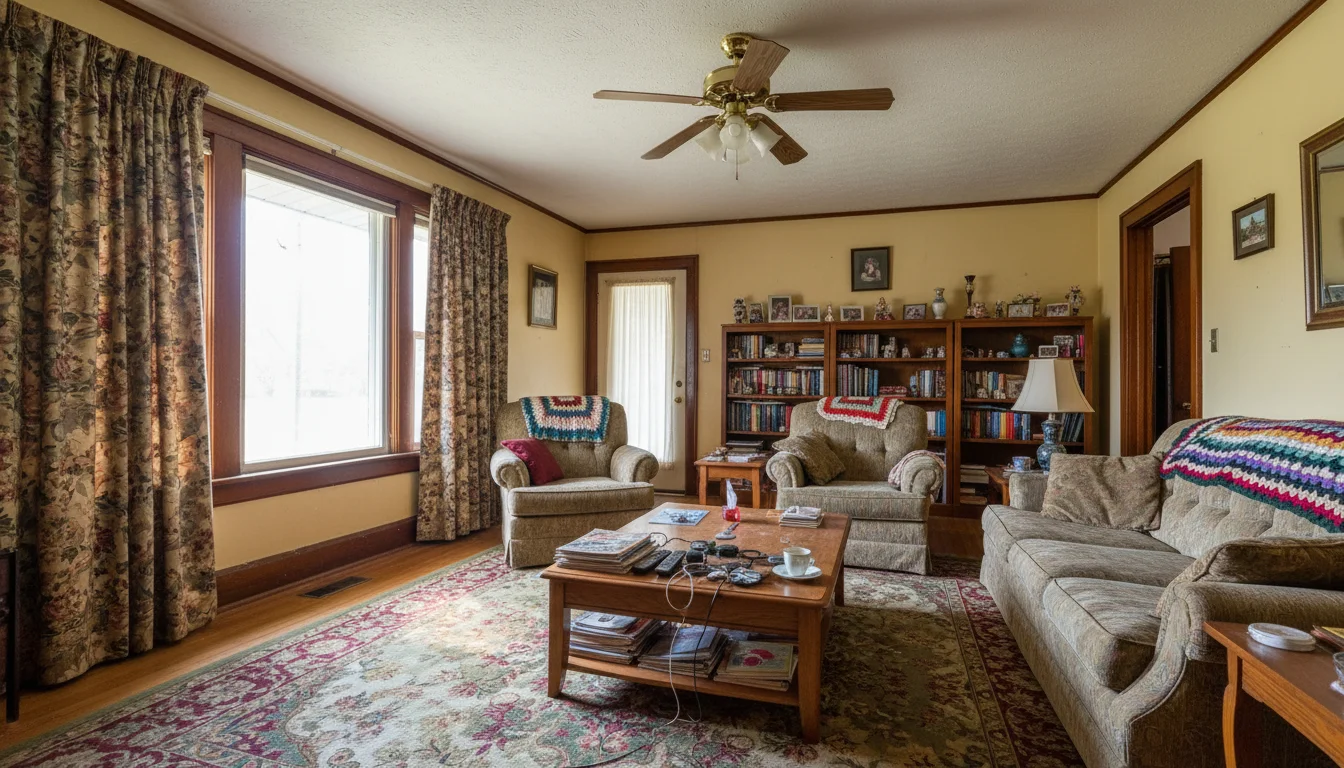
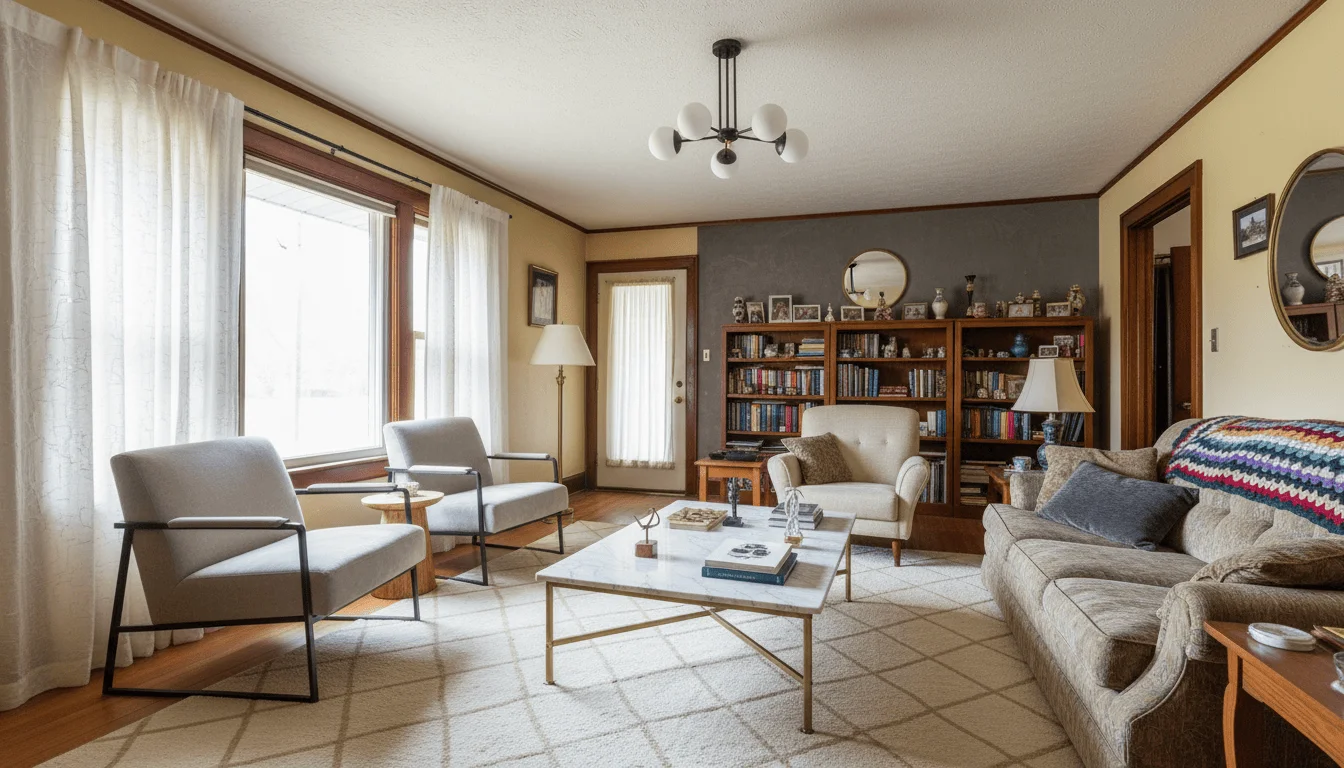
46 styles
from Japandi to mid-century modern
3 levels
Just restyle, rearrange, or redesign from scratch
30 seconds
from photo to restyled room
Restyle is the feature most people mean when they say AI interior design. You give it a photo of a room that already has furniture in it, name a style, and get the same room back with different furnishings and finishes. What makes it useful rather than merely impressive is the part that does not change: the architecture is held fixed, so the result reads as a proposal for your room rather than a picture of somebody else's. The one control that matters most is how far you let it go, and it is the control people most often get wrong on their first attempt.
What this feature does
- Input
- A photograph of a furnished room.
- What changes
- Furniture, decor, finishes, and layout freedom according to the Restyle level you pick.
- What stays
- Room size, camera, and every existing window and door at every Restyle level. “Just restyle” and “Restyle and rearrange” also keep built-ins and fixed architecture.
- Use another feature when
- Use a single-surface wall, floor, light, or detail edit when only one variable is unresolved.
What does restyling a room from a photo actually change?
The split depends on how far you let Restyle go. “Just restyle” and “Restyle and rearrange” allow furniture, decor, rugs, curtains, and lighting to change while preserving walls, windows, doors, built-ins, ceiling height, room proportions, and the camera. Redesign from scratch keeps the wall positions, floor area, ceiling height, camera, and every existing window and door, but it may rework the fireplace, panelling, ceiling, and built-ins, and add new windows or doors.
The camera angle deserves particular mention because people ask for it to move more than anything else. Holding the framing fixed is what makes the before and after comparable, and comparability is the entire point. If the viewpoint shifted, you would have no way to judge whether the model respected the space or quietly invented a larger one. It is also why requests to zoom, crop, or reframe are declined rather than half-honoured.
Within those limits the model has real latitude. It can put down a different floor, repaint every wall, change the lighting mood, and replace every piece of furniture with something the room would plausibly hold. Use Just restyle or Restyle and rearrange when built-ins must stay as they are and no new openings are acceptable. Use Redesign from scratch only when a more speculative direction is acceptable.
How far should a restyle go?
Restyle has three levels, and the difference between them is how much of the original room survives. Just restyle puts each new piece where the old one stood, which is the right choice when the room works and simply looks tired. Restyle and rearrange also moves the furniture while holding the architecture, which suits a room whose arrangement is part of the problem. Redesign from scratch departs furthest, and produces the most striking images and the most disappointment.
The common mistake is starting at the top. Redesign from scratch is designed to take liberties, so a first-time user reaching for it gets back something impressive that no longer reads as their room, concludes the tool cannot preserve geometry, and stops. The same photo at the middle setting usually produces exactly what they were after. Start lower and work up: it costs one credit to move a step, and far less frustration.
The other reason to start low is diagnostic. If a gentle restyle already loses your window line, the problem is the photograph rather than the setting, and no Restyle level will fix a dark or ultra-wide input. Establishing that early saves you a pack of credits.
Restyle, or a single-surface edit?
Restyle changes everything on the changeable side at once. That is efficient when you want a new look overall, and wasteful when you want one thing. If the only problem is the carpet, Change flooring touches the floor and leaves the rest of the room alone. If it is the wall colour, Change wall does the same for the walls. Reaching for a full restyle to solve a single-surface problem gives the model licence to change six things you were happy with.
Single-surface edits are also more reliable for exactly that reason. A narrower instruction has fewer ways to go wrong, and the result is easier to check: you look at one surface rather than auditing the whole room. When a client has approved everything except the floor, a focused pass is both faster and safer than regenerating the lot.
Where restyle earns its place is the undecided case. Someone who does not yet know what they want is better served by three full restyles in three styles than by a careful single-surface edit, because the question they are actually asking is which direction to go rather than which floor to buy.
Running one room as several
Because the architecture and the camera position are held fixed, two restyles of the same photograph are directly comparable, and the comparison is worth more than either image on its own. One render tells you whether you like a room. Three renders of the same room tell you which direction you prefer, and that is the question most people actually arrive with, even when they phrase it as wanting to see what is possible.
Judge them together rather than one after another. A striking render seen alone is persuasive in a way it has not earned, and rooms photograph well by default. Run the versions in one studio conversation and check the same few things in each: the floor, the largest piece of furniture, the wall behind the sofa, whether the light still comes from the window it actually comes from. What survives that comparison is usually a clearer preference than any single image produces.
It is also the cheapest way to settle a disagreement between two people about a room they share. Arguing about whether a space should go warm and layered or pale and spare is unresolvable in the abstract, because each person is imagining a different room. Generating both from the same photograph turns it into a choice between two pictures of the same space, which is a conversation that tends to end.
AI restyle vs mood boards, a designer, or buying to test
There are three usual ways to find out what a room should look like before spending on it. A mood board collects rooms you like, but every image on it is somebody else's room, with different light, proportions, and floor, so it tells you what you like rather than what will work in the space you have. Buying a few pieces and living with them answers the question honestly and expensively, and the answer arrives after the money has gone.
An interior designer is the strongest of the three. A good one sees problems in the room that you would not, sources pieces you would never find, and takes responsibility for the result. What a designer costs is time and fees, and the first visual of your own room usually arrives after a consultation and a brief rather than the same afternoon. A restyle is not a substitute for that judgement. It is a way to arrive at the consultation already knowing which direction you prefer, or to settle a smaller room that never justified hiring anyone.
What a restyle gives you that none of the other three do is your own room, in a candidate style, within about 30 seconds, for the cost of one credit. What it does not give you is a shopping list, measurements, or anyone accountable for the outcome. The pieces in the render are plausible rather than specific products, so treat the result as a decision about direction and use it to brief the purchases or the designer that come next.
Try it yourself. First 3 designs free with Google · No credit card
Restyle a roomWhy restyle a room works
A preservation level you choose
“Just restyle” and “Restyle and rearrange” preserve walls, windows, doors, built-ins, ceiling height, and camera angle. Redesign from scratch keeps the room size, camera, and every existing window and door, while allowing built-ins to change and new openings to appear.
Decide how far it goes
Just restyle moves the least: each new piece stands where the old one stood. Restyle and rearrange also moves the furniture. Redesign from scratch departs furthest, and is the one to reach for last.
Try a direction before you commit
Seeing three styles in your actual room settles an argument that months of mood boards will not.
Names you can act on
A style name is repeatable in a way a mood board is not. Pick the same style twice and you get a consistent look across rooms.
Works on rooms that are already furnished
No need to clear the space first. If the room is empty, Furnish empty room is the feature you want instead.
A step in a sequence
Declutter first if the room is busy, then restyle the cleared version. Two focused passes beat one ambitious prompt.
How it works
- 1
Upload the furnished room
Shoot from a corner in daylight at 1x. The clearer the room reads, the better the architecture survives.
- 2
Pick a style and how far it goes
Choose from 46 styles, then answer “How far should it go?”. Start lower than you think: Just restyle first.
- 3
Compare and keep
Get the restyled room in about 30 seconds. Press “Try another style” to run a second look on the same photo, and check each one with “Compare with your original room”.
Related tools
Go deeper
Frequently asked questions
Ready to try it on a real room?
Restyle a room