Feature
Last updated
Remove furniture from a photo in seconds
AI Room Styler is an AI furniture removal tool that empties a room photo. Upload the room as it is and get the same room back with the furniture and clutter cleared, ready to show empty or stage again. Choose what goes: clutter, personal items, furniture, or everything movable.
Old furniture and clutter make a room read small and dated. Upload a photo and let AI clear the space, so you can show it empty or re-stage it in a fresh style.
Remove furniture from a photoFirst 3 designs free with Google · No credit card
From $9.99 for 20 designs · No subscription
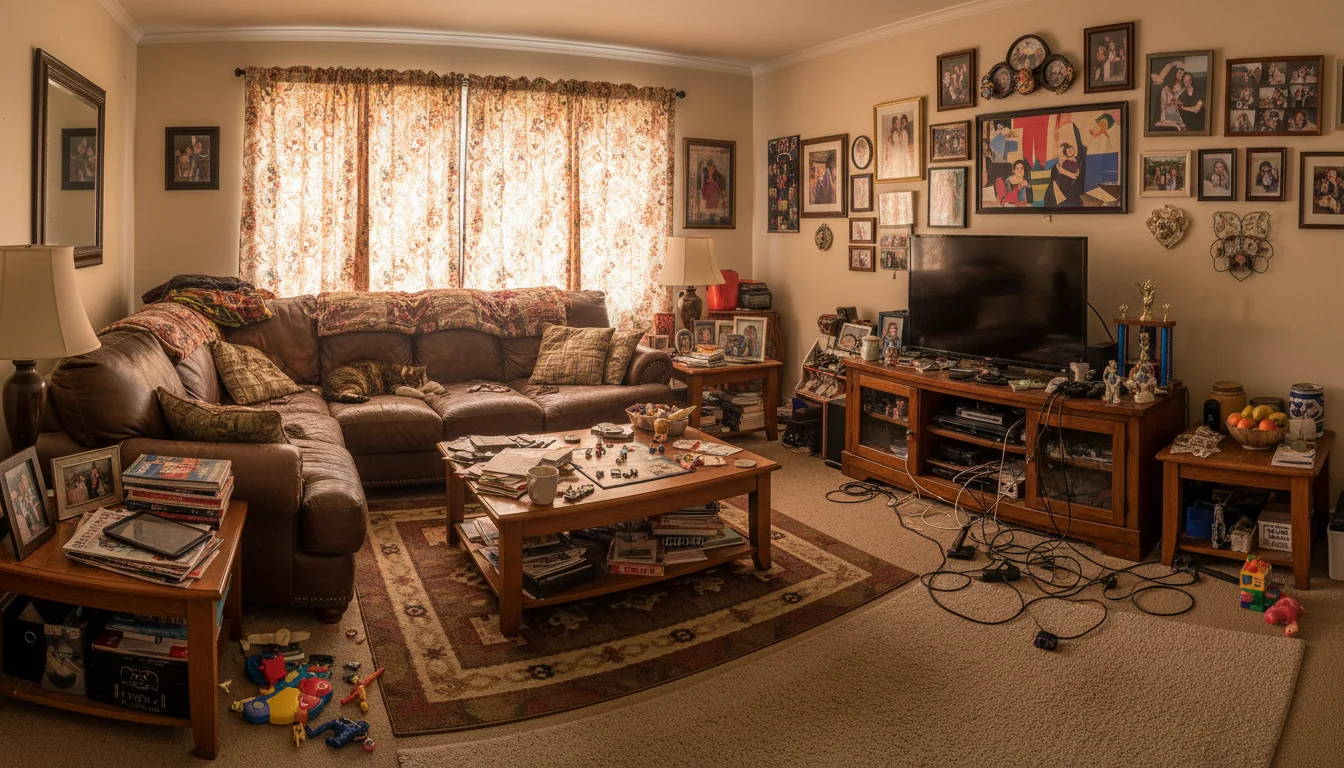
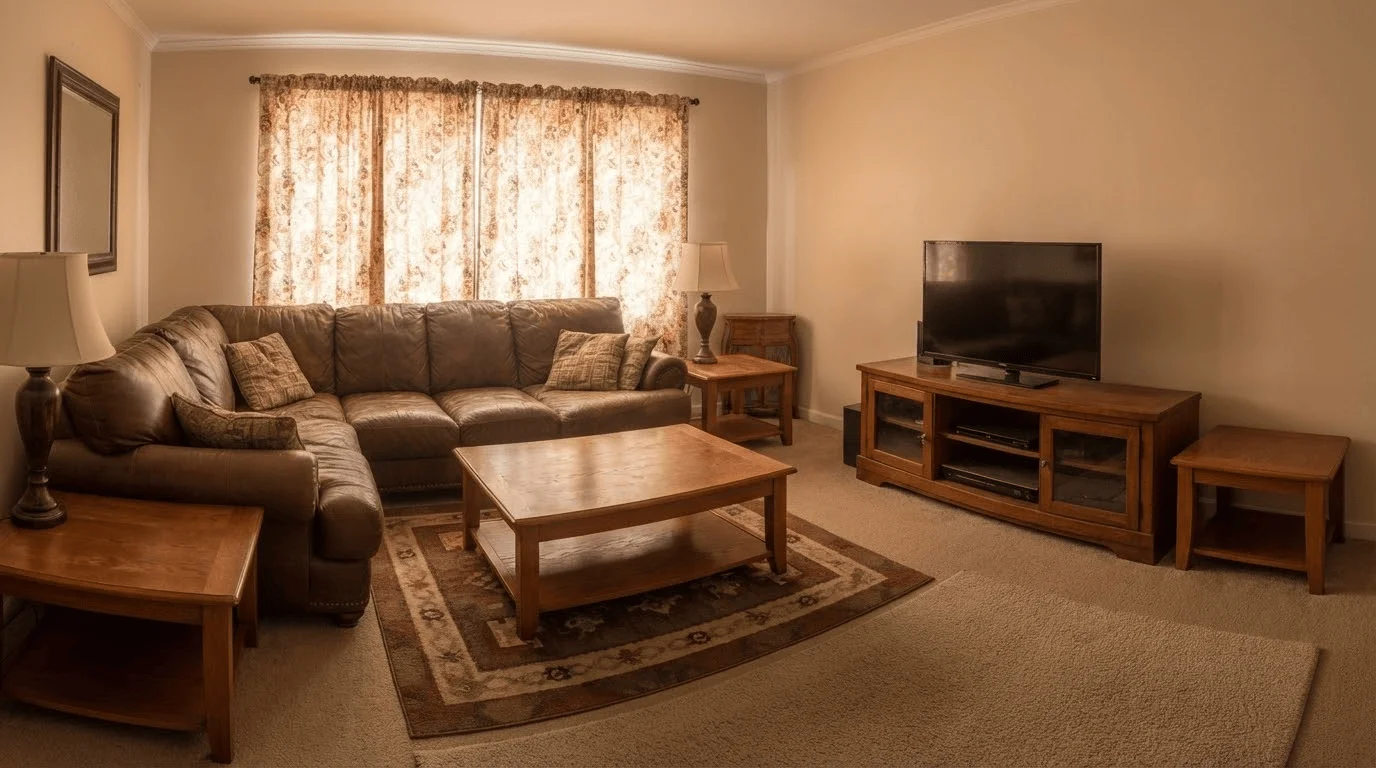
Seconds
from cluttered photo to clean room
No editor
no Photoshop or photo retoucher
Re-stage ready
empty it, then furnish it fresh
Buyers cannot picture their own life in a room full of someone else's furniture, and a cluttered space photographs cramped no matter how good the room is. Clearing a room the old way means moving furniture out or paying a photo editor. AI furniture removal does it from the photo itself: upload the room, choose whether to remove clutter, personal items, furniture, or everything movable, and get a clean version in seconds that you can use as-is or re-stage.
What this feature does
- Input
- A furnished or cluttered room photo.
- What changes
- Removes clutter, personal items, furniture, or everything movable, depending on the category you choose.
- What stays
- Walls, windows, flooring, lighting, camera position, and room proportions.
- Use another feature when
- Use Edit One Detail when only one selected object should go.
How to judge a furniture-removal result
- Floor, wall, and skirting patterns continue through the cleared area.
- Object shadows disappear without leaving dark smudges.
- Mirrors, windows, screens, and polished surfaces do not retain stray reflections.
- Edges where objects stood blend into the surrounding material.
- Walls, openings, camera position, and room proportions have not drifted.
What is AI furniture removal?
AI furniture removal takes a photo of an occupied room and returns the same room with a chosen category removed. You upload the image, choose clutter, personal items, furniture, or everything movable, and the model removes those objects and reconstructs whatever they were hiding: the stretch of floor under the sofa, the skirting board behind the bookcase, the wall the wardrobe was covering.
That reconstruction is the hard part, and it is what separates this from a generic object eraser. Erasing a phone from a landscape means filling the gap with more sky. Erasing a sofa from a living room means inventing the correct floorboards at the correct angle, continuing the wall colour and the shadow line, and keeping the perspective consistent with the rest of the photo. The model has to understand the room as a space rather than as a flat image, which is why general-purpose photo tools tend to leave smears and warped edges where interiors are concerned.
The traditional alternative is a photo retoucher working in Photoshop, cloning and painting the hidden surfaces by hand. Done well it takes an hour or more per image and costs accordingly, which is why most agents simply photograph the room as it is. Doing it from the photo itself brings the job down to seconds, which changes it from a considered expense into something you can run on every room in a listing.
Empty the room, or restyle what is in it?
These are different jobs and it is worth being clear about which one you need. Removal strips the room back to the shell. Restyling keeps the room furnished and changes the look of what is there. Reaching for the wrong one is the most common way people waste a generation.
Empty the room when the furniture itself is the problem. A room packed with a previous owner's belongings reads as small and personal, and buyers struggle to see past someone else's taste. Emptying it also gives you a clean base to furnish from scratch, which is the two-step workflow most agents settle into: clear the room, then add furniture in a style chosen for the buyer rather than inherited from the seller.
Restyle instead when the furniture is reasonable and the room simply looks dated. If the sofa is fine and the problem is the wall colour, the flooring, or the overall era of the space, going through an empty state first throws away information the model could have used and gives you an extra step for nothing.
Where furniture removal struggles
It is a reconstruction, not a recovery, so the model is inferring what was behind an object rather than seeing it. The more of the room an object hides, the more of the result is invention. A wardrobe spanning an entire wall leaves the model nothing to extrapolate from, and the wall it produces may not match the one actually there. Shoot from an angle that leaves some of every surface visible and the results improve sharply.
Mirrors and glass are the other common failure. A mirror reflecting the sofa you just removed will often still contain it, because the reflection is a separate part of the image from the object itself. The same applies to anything visible in a window, a television screen, or a polished cabinet front. Check reflective surfaces before you publish.
Heavy, complex shadows can also leave traces. Removing an object whose shadow falls across several surfaces sometimes leaves part of that shadow behind, reading as a smudge on an otherwise clean floor. Low light and motion blur compound all of this, because the model has less signal to work from. The practical answer is the same in every case: generate two or three versions, look at the floor, the reflections, and the edges where objects used to be, and keep the cleanest one.
What you may and may not remove from a listing photo
This feature takes things out of photographs, which is precisely why property use needs a line drawn through it. Clearing a seller's belongings is presentation, and nobody has ever objected to it: the sofa is leaving with the seller, so a buyer loses nothing by seeing the room without it. Removing something that stays with the property is a different act, because the photograph is then making a claim about what the buyer is purchasing.
The awkward part is that capability and permission come apart here. The tool will happily remove a radiator, a boiler, a wall-mounted unit, or a fitted shelf, and there are legitimate reasons to want that in a design mock-up. In a listing photograph, a removed radiator is a claim about the heating, a removed boiler is a claim about where the plant sits, and a painted-over damp patch or cracked tile is a claim about condition. None of those leave with the seller. That the software did not stop you is not the same as the photograph being honest, and the judgement is yours rather than the model's.
Two habits keep this straightforward. Keep the original alongside the edited version, so you can show what was changed if anyone asks. And where a listing photograph has been digitally edited, follow your local disclosure rules, which in most markets ask you to label it. This removal edit is instructed to preserve walls, windows, camera position, and room proportions, but that protects the shape of the room and not its condition. The test that catches nearly everything: would a buyer walking into the viewing feel the photograph had misled them?
Try it yourself. First 3 designs free with Google · No credit card
Remove furniture from a photoWhy ai furniture removal works
Clear a room without moving a thing
Remove sofas, tables, and clutter straight from the photo, so you do not have to physically empty the space before a shoot.
Show the space, not the stuff
Buyers judge the room, not the current owner's taste. An empty, clean shot lets them picture their own furniture in it.
Fix dated and cluttered listings
Empty a tired room first, then re-stage it in a modern style, so older interiors photograph like new.
Faster and cheaper than a retoucher
Skip the round-trip to a photo editor. Get a clean version in seconds for a fraction of the cost.
Keep the room, drop the objects
Removal preserves the walls, windows, and light of the real room while clearing the category you choose.
Pairs with staging
Furniture removal and virtual staging are two halves of the same job: empty the room, then furnish it for the buyer.
How it works
- 1
Upload the room photo
Drop in a photo of the furnished or cluttered room, straight from your phone or listing shoot.
- 2
Choose what to remove
Choose clutter, personal items, furniture, or everything movable. Use Edit One Detail instead when only one selected object should go.
- 3
Download or re-stage
Get a clean, empty version in seconds. Use it as-is, or send it straight into virtual staging.
Related tools
Go deeper
Frequently asked questions
Ready to try it on a real room?
Remove furniture from a photo