Paint Color Visualizer
Paint Color Visualizer: See Wall Colors on Your Room Photo
Last updated
Picking a wall color from a tiny paint chip is a guess, and the guess is often wrong once the color covers a whole wall. A paint color visualizer removes the guesswork: you upload a photo of your actual room and see a new wall color applied to it in seconds, with your furniture and layout left alone. Here is how it works and how to get a preview you can trust.
Part of the Paint Color Visualizer guide.
See it in your own room
Upload a photo and our AI restyles it in this look in seconds.
Free to start. You'll sign in first.
A living room previewed in sage green
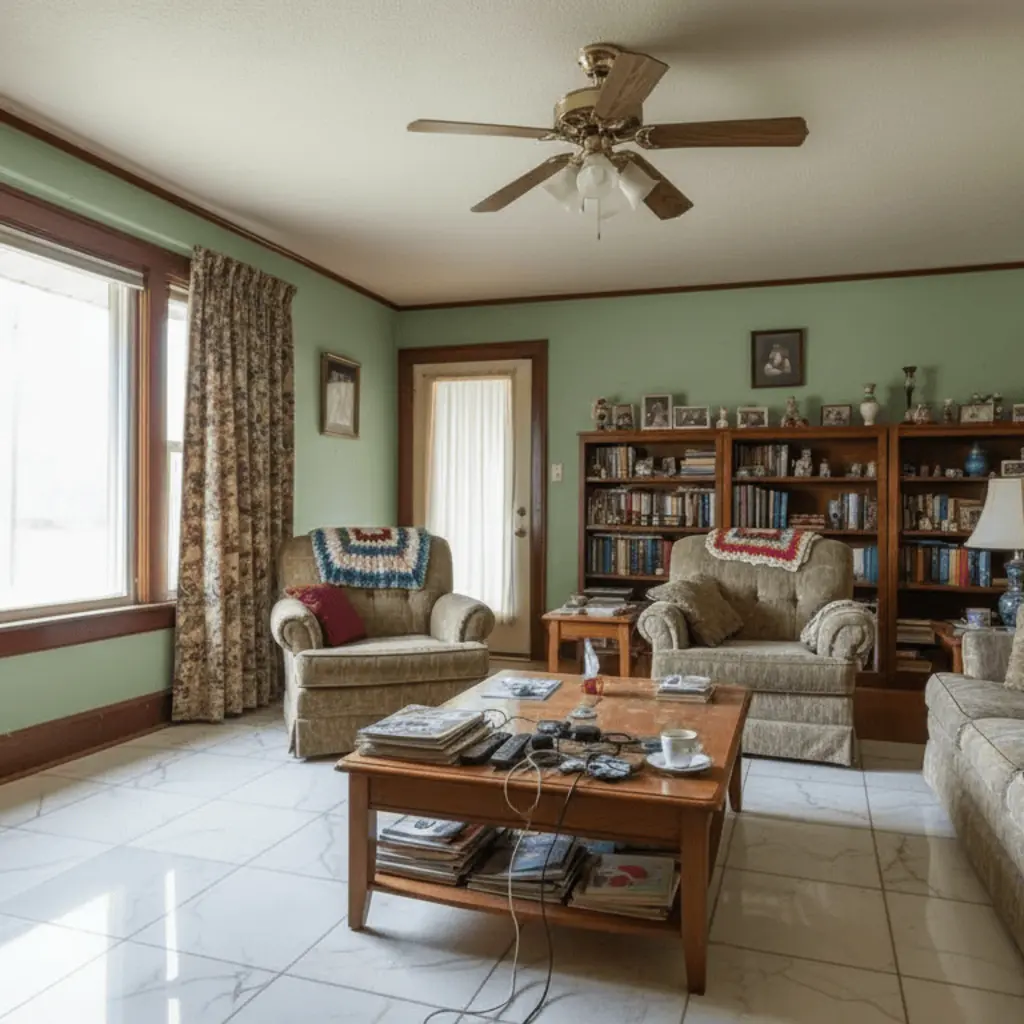
After
Colors you can preview right now
These presets are one tap each. You can also describe a custom shade in your own words and the tool will apply that instead.
- Warm White
- Soft Sage Green
- Deep Navy
- Terracotta Clay
- Charcoal
- Blush Pink
What a paint color visualizer does
A paint color visualizer takes a photo of your room and repaints the walls in a color you choose, keeping everything else in place. Instead of taping swatches to the wall and squinting at them in different light, you see the finished look on your own walls, with your own furniture, lighting, and floor. It answers the only question that matters before you buy a can: will this color actually work in this room. You can preview a curated set of presets like off-white, sage, navy, terracotta, charcoal, and blush, or describe a custom shade and apply that.
How to get an accurate preview
The quality of the preview depends mostly on the photo you start with. A few habits make the result reliable.
- ✓ Shoot the room in even, natural daylight so the previewed color reads true rather than tinted.
- ✓ Frame a full wall straight on, so the color covers a large, flat area you can actually judge.
- ✓ Clear the wall of large art or mirrors if you want to see the paint uncovered.
- ✓ Preview the same color in your brightest and your darkest rooms, since light changes how a color reads.
- ✓ Compare two or three candidates side by side instead of judging one color in isolation.
What a visualizer can and cannot do
Knowing the limits keeps your expectations and your decisions sound.
- ✓ It previews a color on your walls. It does not identify or match the exact name of a color from a photo.
- ✓ It is a visual guide, not a precise color proof. Always confirm the final shade with a physical sample on the wall.
- ✓ Monitor and lighting differences shift color, so treat the preview as direction, not a guaranteed match.
- ✓ It works on interior room photos, not exterior facades.
Is it free to try
You can preview wall colors on your room photo at no cost to start, which is the whole point: a visualizer should let you rule colors in or out before you spend anything at the paint store. Paint, samples, and labor are the real costs, and the right preview is what keeps you from buying the wrong gallon twice. A paint calculator tells you how many gallons you need once the color is settled. Test the color digitally first, then buy one physical sample of the finalist to confirm.
Room color simulator, virtual painter, paint visualiser: same tool
People look for this tool under many names: a room color visualizer, a paint a room simulator, a virtual room painter, or a paint visualiser in British spelling. They all describe the same thing, previewing a wall color on a photo of your real room, and the workflow never changes. The variations run on the same photo-first flow: see a paint color on your walls step by step, preview a single bold accent wall, or test a wallpaper pattern instead of a flat color, all without moving the furniture.
Try a wall color on your room
Upload a photo of your room and preview a new wall color in seconds. Keep your furniture in place and rule colors in or out before you buy a can.
Try a wall color nowPlan the next step
Estimate paint needs for your selected palette and wall coverage. Continue with the Paint Calculator before finalizing the room.