
For Real Estate Agents
Virtual Staging for Realtors
Empty listings sit. Staged ones sell. Turn vacant room photos into MLS-ready staged renders in 30 seconds, for a fraction of the cost of physical staging. No furniture rental, no staging crew, no waiting.
Stage My ListingSubscribe monthly · Top up with credits · Cancel anytime
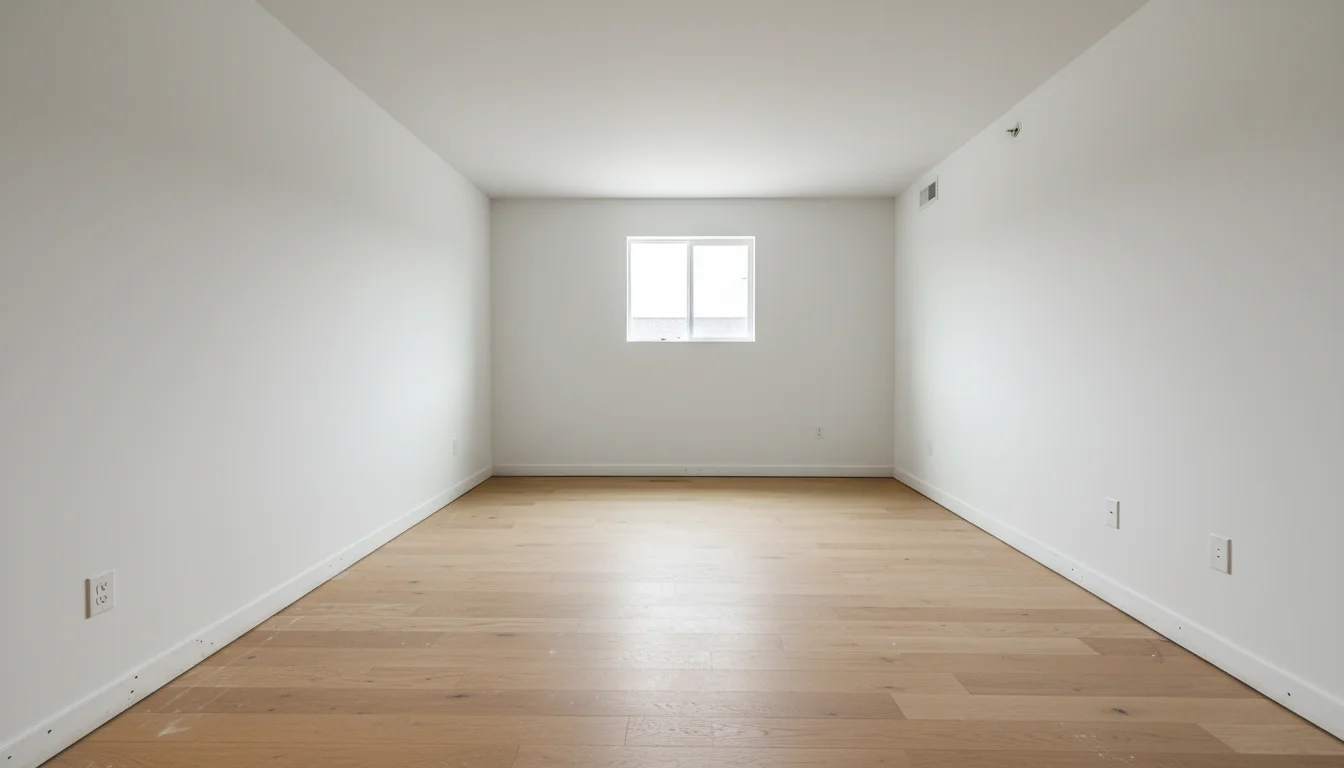 Empty
Empty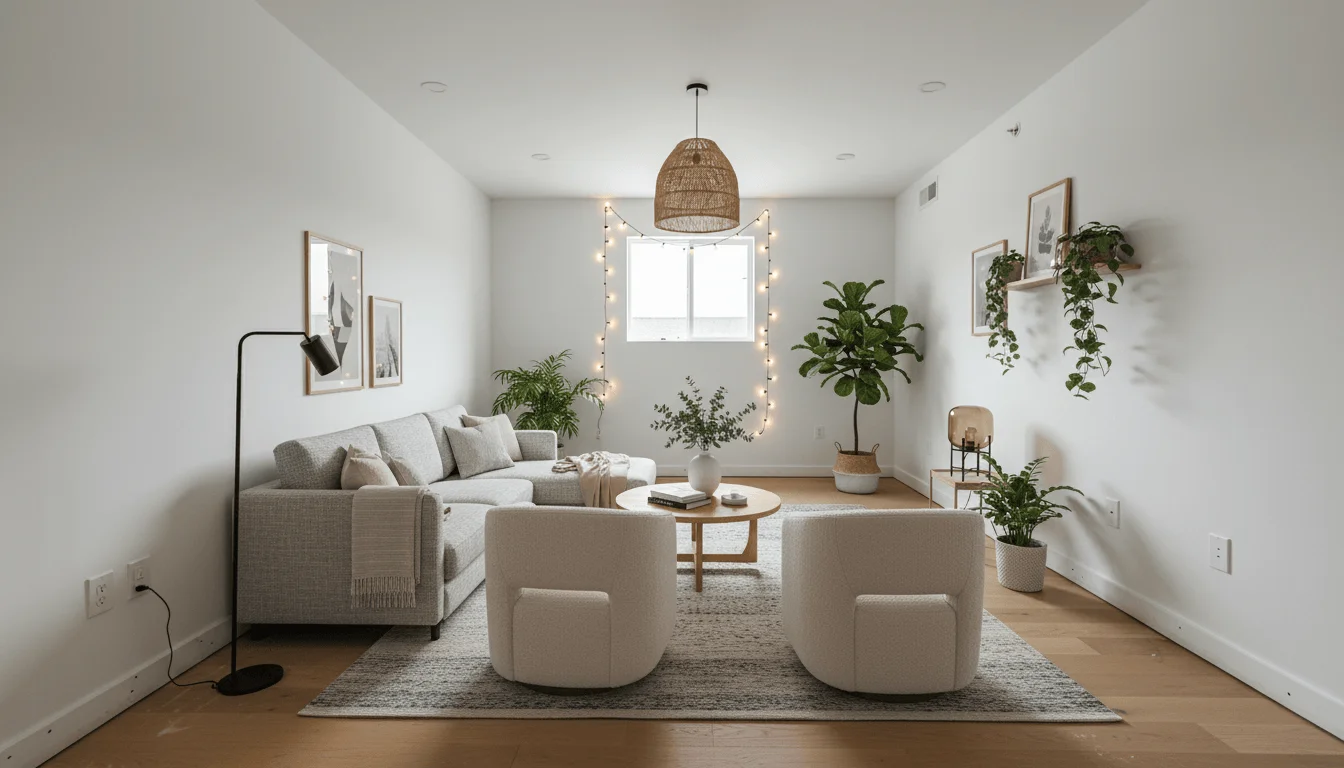 Staged
Staged from an empty photo in 30 seconds
Why agents use it
Built for the way realtors actually list
Priced for volume
A fraction of the $75 to $200 per room a traditional stager charges. Stage a whole listing for less than the cost of physically staging a single room.
Ready before your shoot cools off
Upload photos from the walkthrough and get staged renders in seconds. List the same day instead of waiting days for a staging crew.
MLS-compliant by default
Photorealistic results that are clearly digital staging. Add the disclosure your MLS requires and you are covered.
Every room, every style
Living rooms, primary bedrooms, dining rooms, home offices, and more. Match the staging to the buyer you are targeting.
Cost comparison
Virtual staging vs. physical staging for a listing
What each option costs an agent per vacant listing.
| Feature | AI Virtual Staging | Physical Staging |
|---|---|---|
| Cost per room | A fraction of physical staging | $75 to $200+ per room / month |
| Turnaround | About 30 seconds | Days to schedule and install |
| Restage in a new style | Instant, unlimited | New rental and install |
| Logistics | None, fully digital | Delivery, movers, pickup |
| MLS disclosure | Label as virtually staged | No label needed |
Stay compliant
Virtual staging and MLS disclosure
Virtual staging is allowed on the MLS and on the major portals, and it is a standard part of how agents market vacant listings. The rule that matters is disclosure: buyers need to know the furniture in the photo is digital.
In practice that means labeling each staged image as "Virtually staged," noting it in the listing remarks, and keeping the structure of the room honest. You can add furniture, rugs, art, and decor to an empty space. You should not paint over damage, remove permanent fixtures, or otherwise misrepresent the true condition of the home.
Disclosure requirements vary by MLS and by state, so confirm the exact wording your board expects. Used correctly, virtual staging helps buyers picture the space without ever misleading them about what they are walking into.
How it works
Stage a listing in three steps
Upload the empty room
A clear, well-lit photo of the vacant space straight from your listing shoot.
Pick furnishings and style
Choose the room type and a style that fits the neighborhood and price point.
Download and list
Get an MLS-ready staged photo in high resolution, add your disclosure, and publish.
FAQ
Realtor virtual staging questions
Cost, compliance, and turnaround for agents.
Yes. Virtual staging is permitted on most MLS systems and major portals as long as the images are clearly disclosed as virtually staged. Add a caption or watermark such as "Virtually staged" and keep the exterior and structural elements of the photo unaltered. Always check your local MLS rules for the exact disclosure wording they require.
AI virtual staging costs a fraction of what physical staging does. A traditional stager runs roughly $75 to $200 per room per month, while AI staging runs on an affordable monthly plan with credits. For an agent staging multiple listings a month, the savings add up quickly.
Each staged render is generated in about 30 seconds. You can stage an entire vacant listing in the time it takes to review the photos, so you can shoot in the morning and have the listing live the same afternoon.
Staged listings consistently draw more clicks and in-person showings than empty ones because buyers struggle to judge scale and function in a vacant room. Virtual staging gives every room a purpose and a focal point, which keeps buyers scrolling and booking tours.
Disclose that the photos are virtually staged, typically with a visible label on the image and a note in the listing remarks. Do not use virtual staging to hide defects, remove permanent fixtures, or misrepresent the condition of the property. Staging furniture and decor into an empty room is fine; altering the actual state of the home is not.
Virtual staging works best on empty rooms. For occupied listings, clear the furniture first with the declutter and empty-room tools, then stage the clean space. This gives you a consistent, clutter-free result across the whole listing.
Results are photorealistic. Lighting matches the original photo, furniture scales to the room, and materials read like real photography, so staged rooms look credible in the listing gallery and on portal apps.
Yes. Agents and brokerages use a single subscription to stage listings across the team. Higher tiers include more monthly renders, which suits a busy office running several listings at once.
Stage your next listing in seconds
Upload an empty room and get an MLS-ready staged photo before your coffee gets cold.
Stage My Listing